Ahoy Travel App
Client: MICA UX Design MPS
Project type: UX Design
Deliverable: High fidelity prototype
Role: Designer & Researcher
As part of MICA’s UX Design Prototyping course, we were challenged with creating an app that competed with Travelocity.
As part of our desk research, my team and I noticed the lack of accommodations for group travelers. As well as the emotional toll it takes to coordinate with your fellow crew mates (as we like to call them).
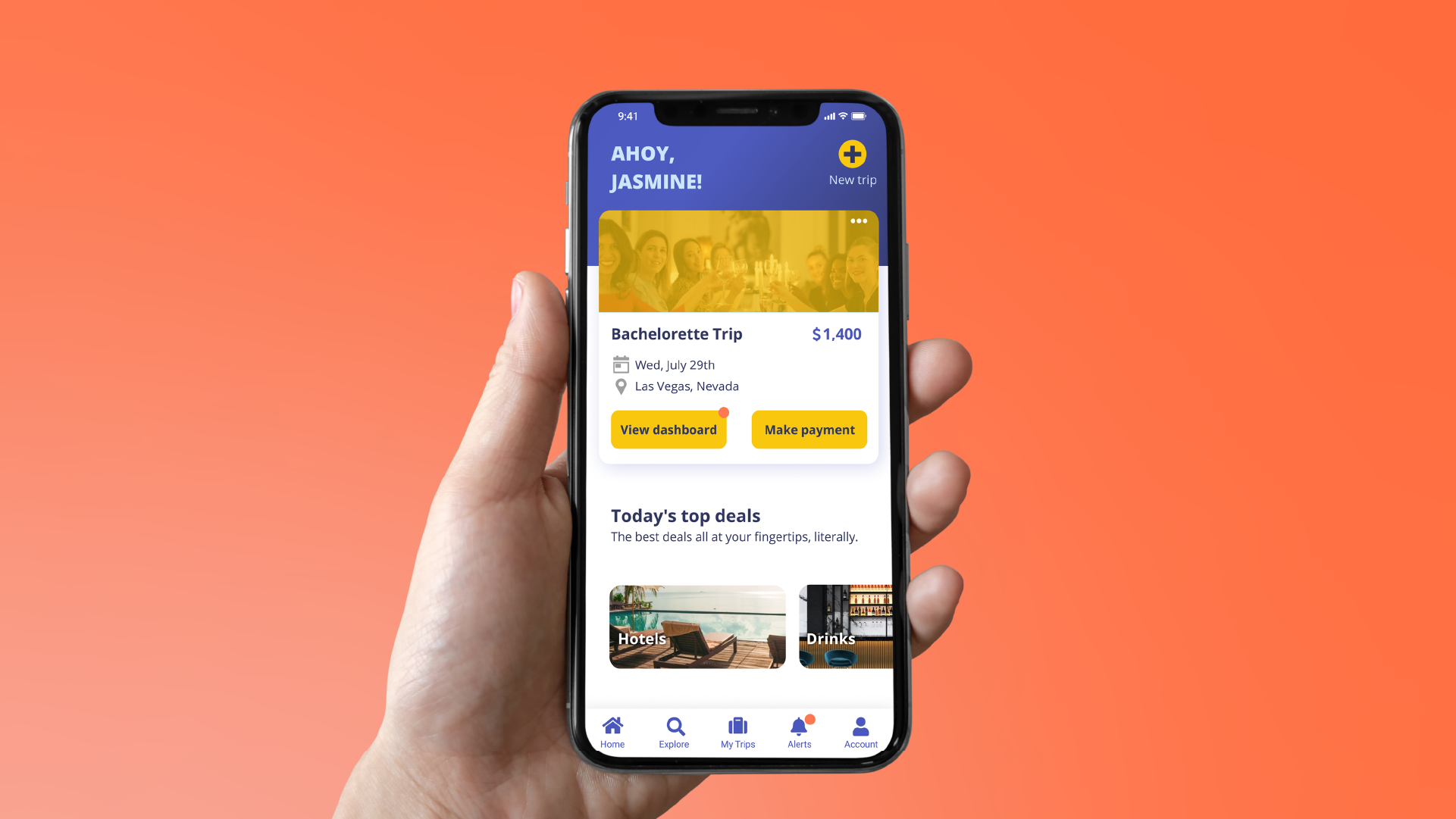
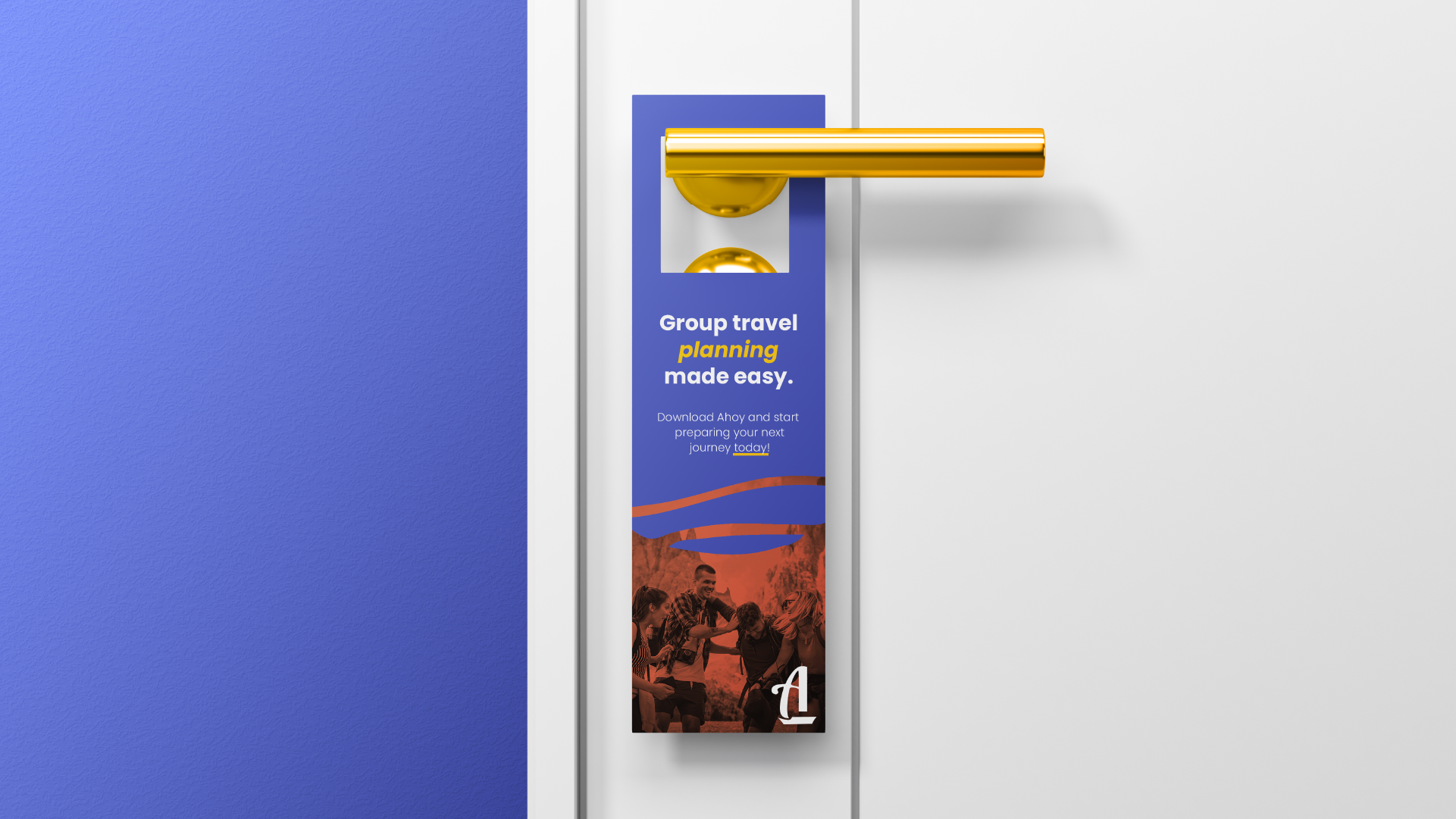
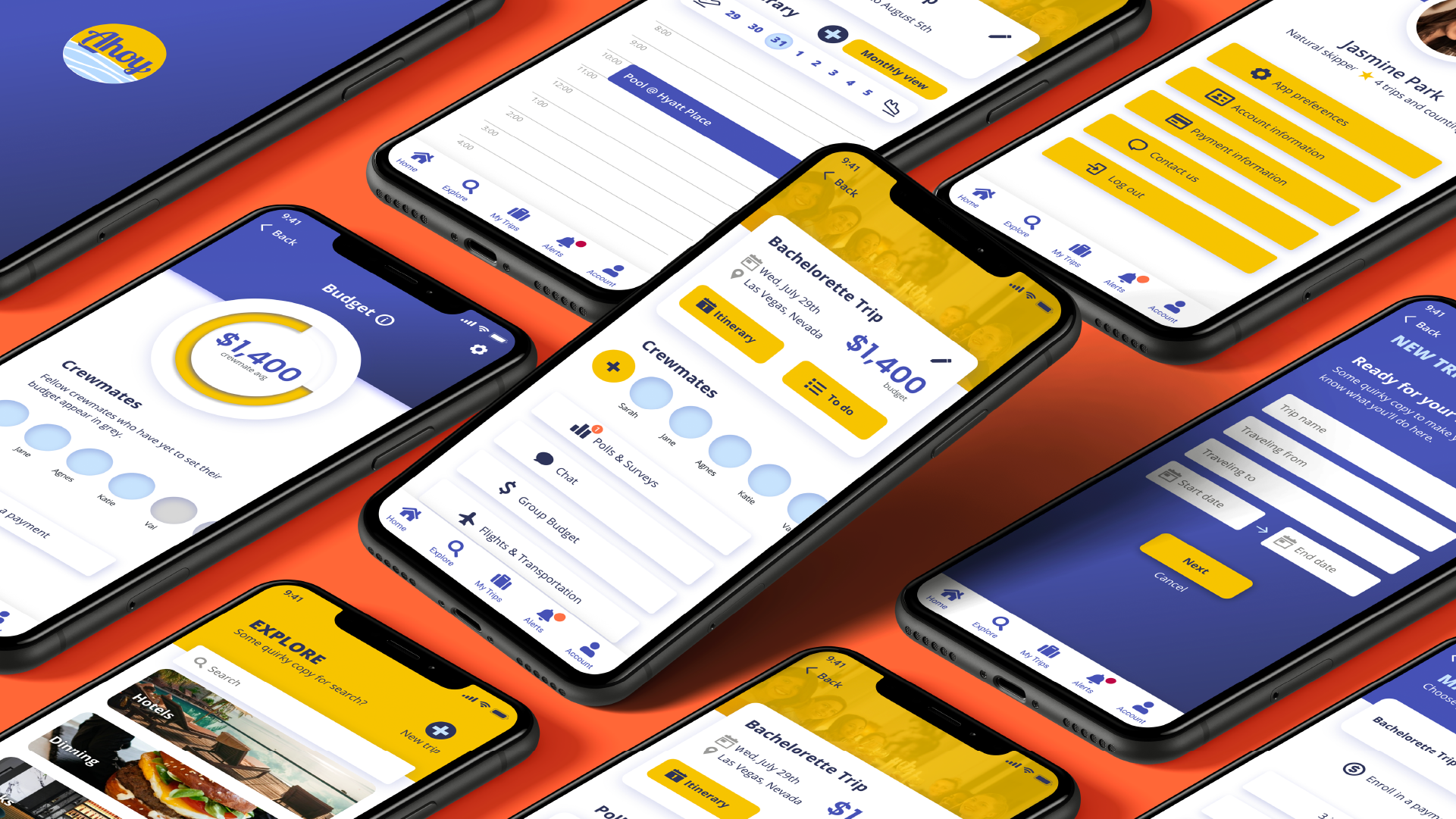
Our solution: an app that helps you collaborate to book your perfect vacation all in one place. With features like individual budgeting, polls for group activities, and an integrated itinerary, our goal is for you to stress less and enjoy the journey more!
This project was made in collaboration with Kendall Smith, Chris Nakahodo, and Oliver Wood.
Research
Our goal in this project was to develop a high fidelity prototype that showcased a user's journey from start to finish. We decided to tackle the problem at hand creating a hybrid of both Agile and Waterfall workflows that would allow us to work remotely.
We began our research by creating a competitive analysis of travel booking sites and apps. With this overview of the competition, we decided to survey users that had experience coordinating and participating in group travel.
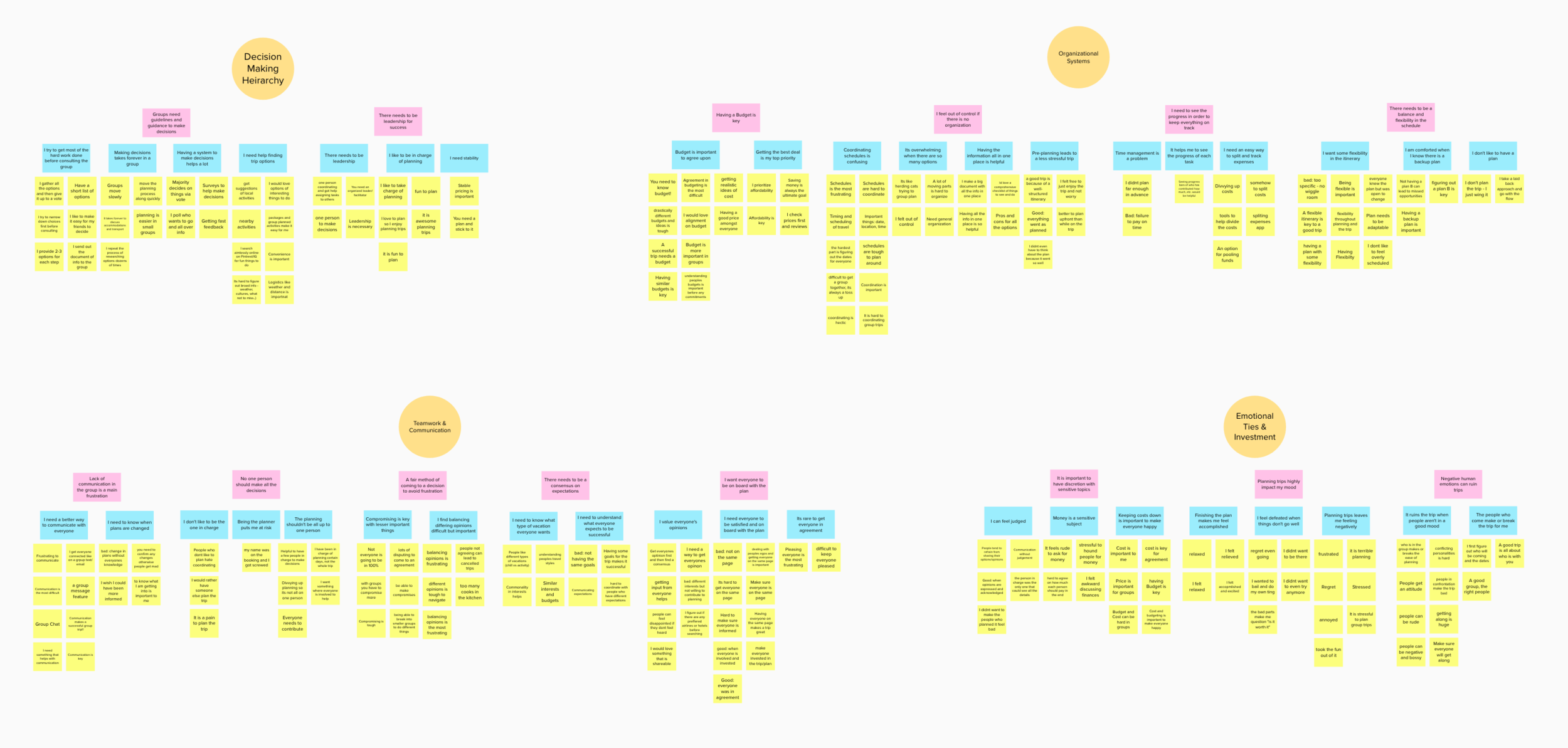
Affinity map to synthesize our findings.
We confirmed our assumptions and decided to address 5 key features moving forward:
Customizable itinerary that could be shared across a group
Ability to delegate tasks between group members
In-app communication
Anonymous budgeting
Group / Individual payments
Overall accessibility of app on mobile device
Based on this list, I created 3 personas that helped us represent our target audience and developed a storyboard that depicted one of our users’ journeys.
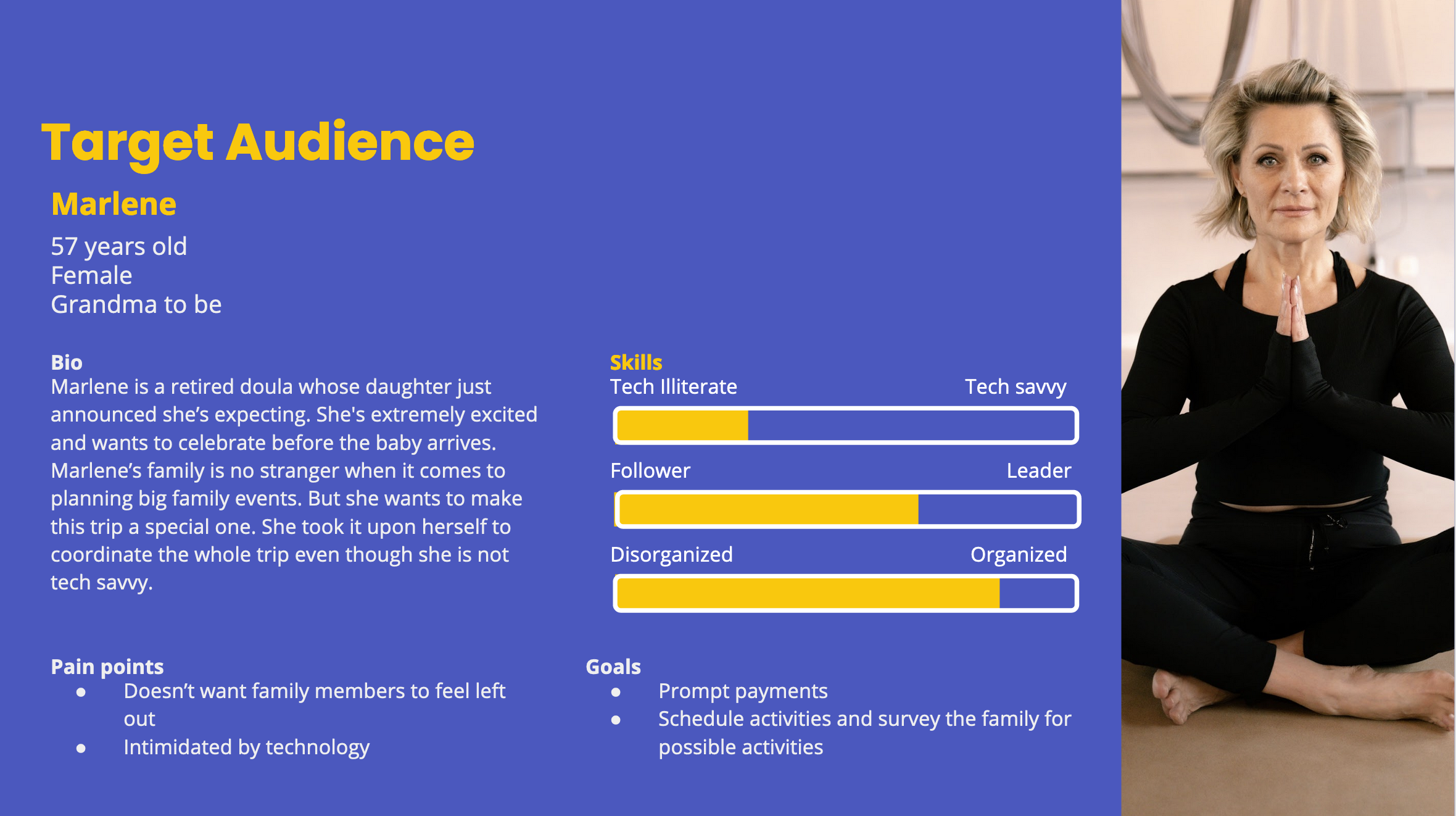
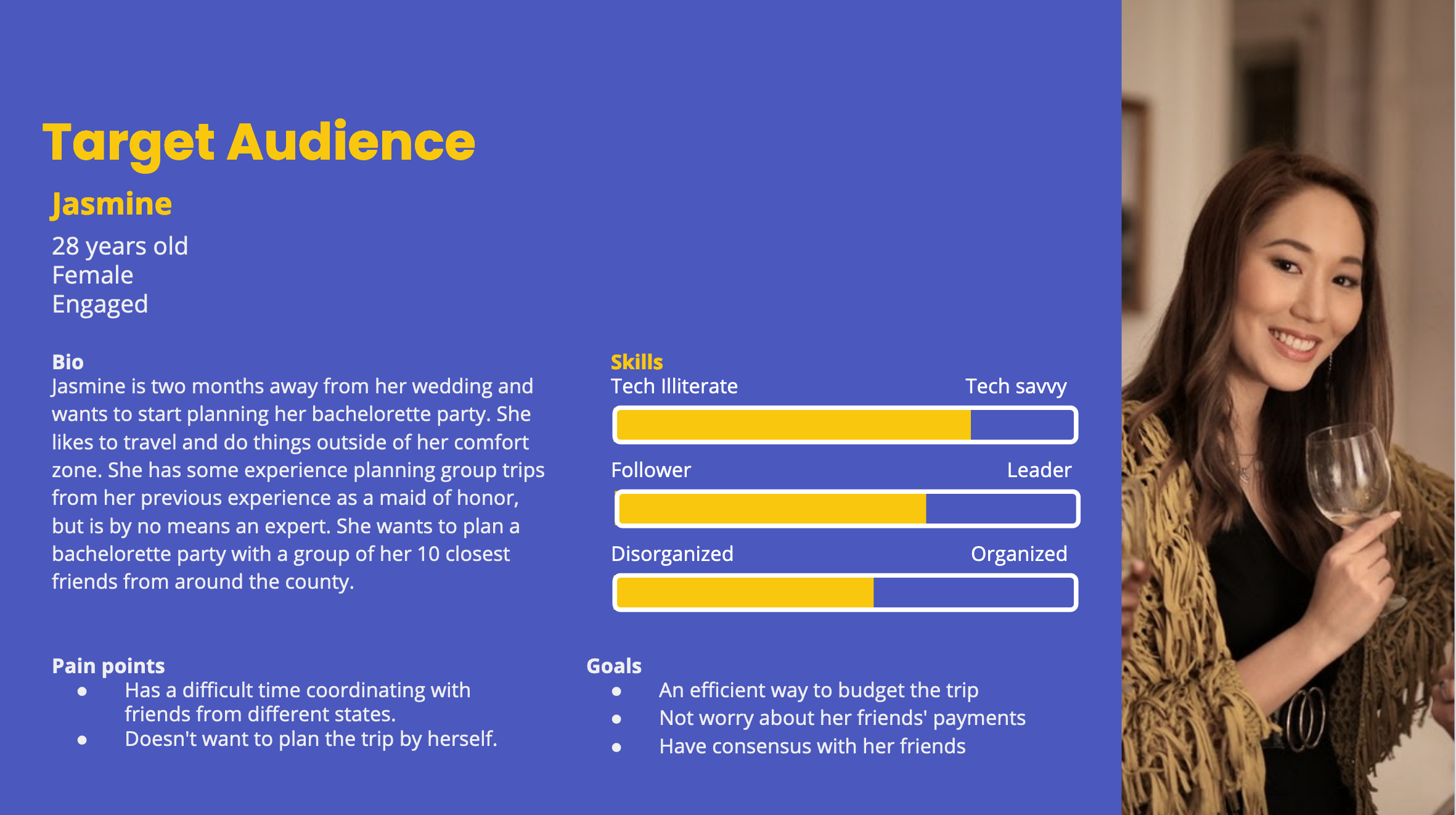
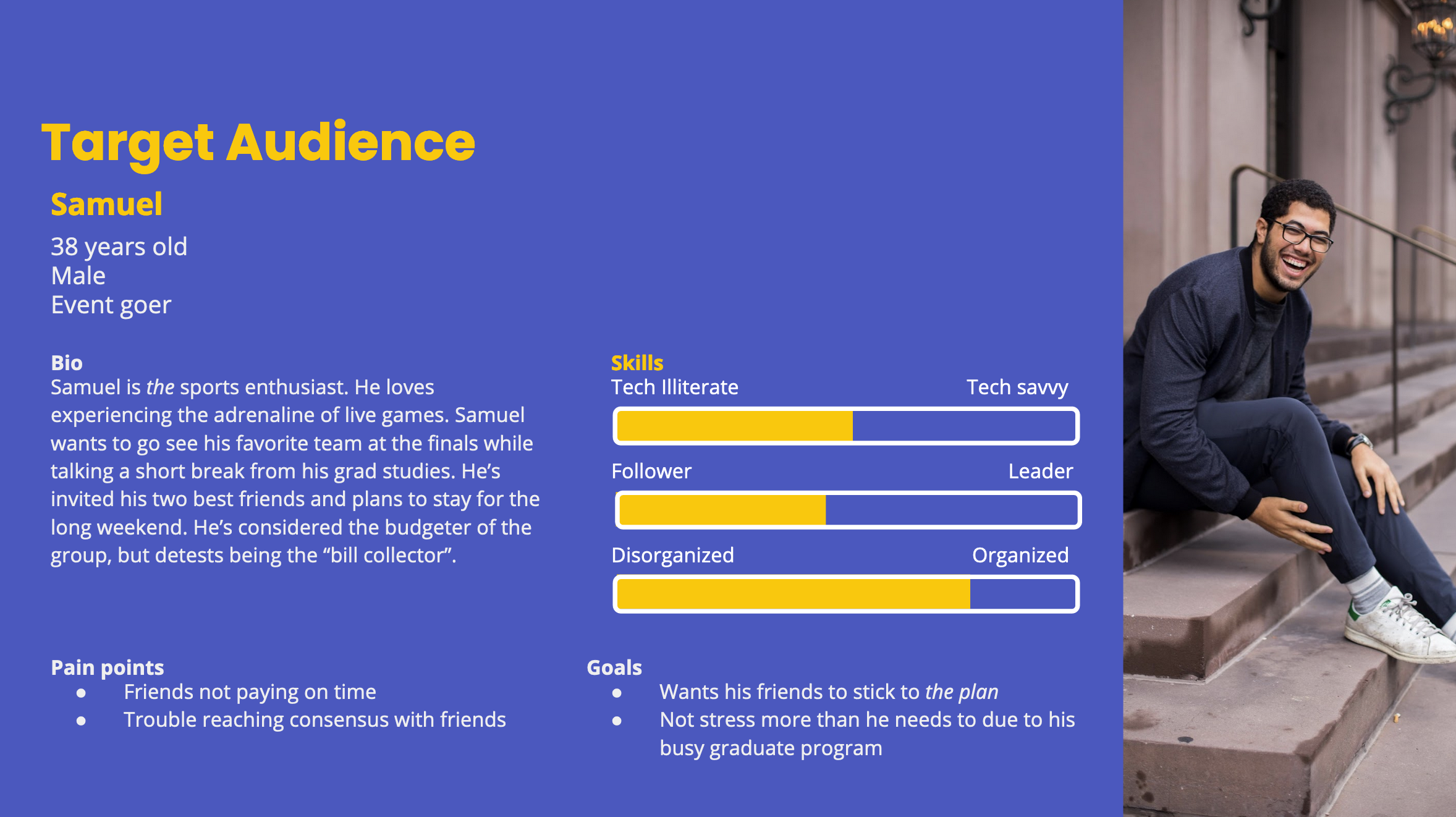
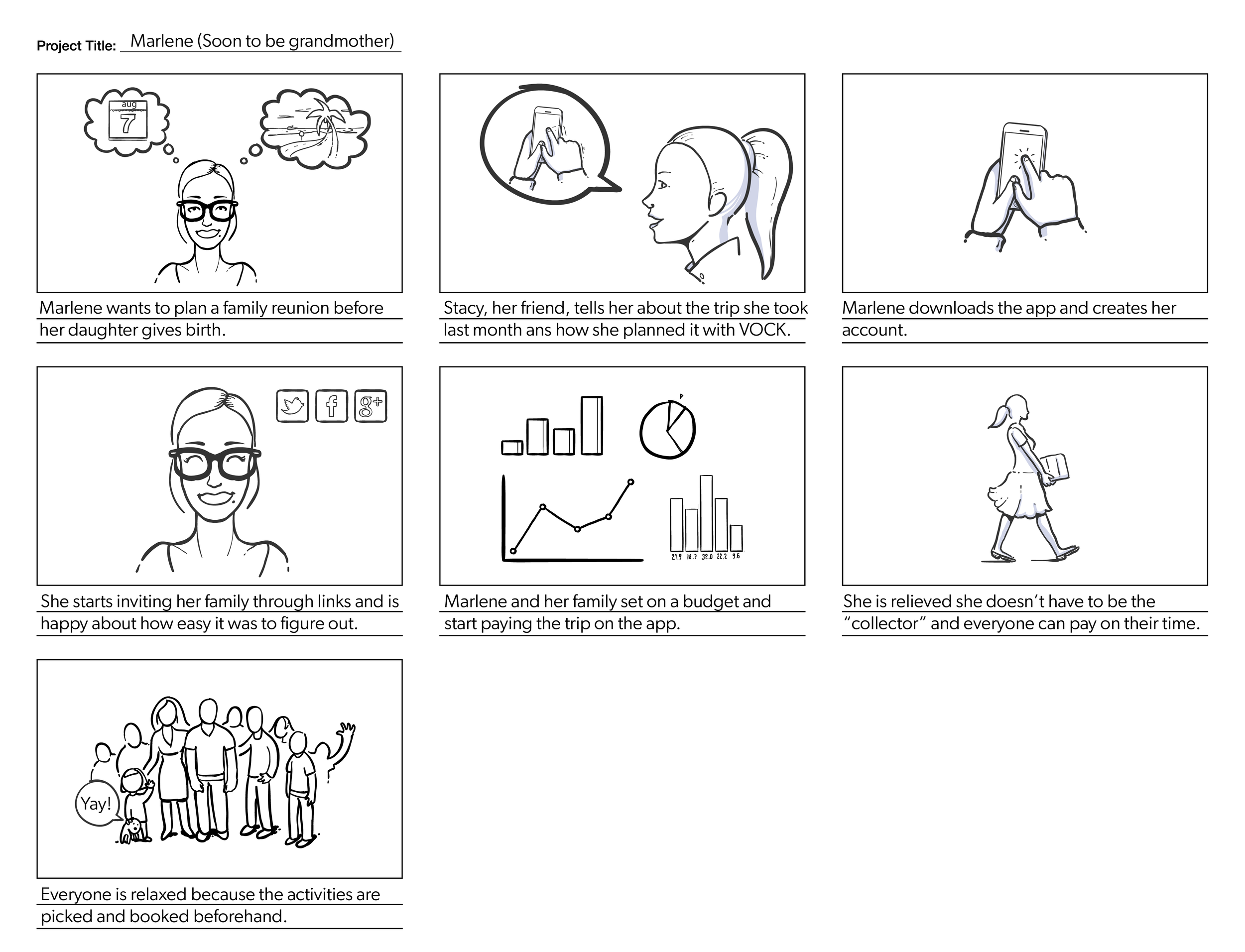
Storyboard depicting Marlene (one of our user personas) using Ahoy.
Ideation
We started off our creative process by wireframing 3 of our 5 key features. Each of us designed screens for budgeting, scheduling and paying in the app.
We presented our designs internally and agreed that the majority of our screens had too much information for users to process and achieve tasks.
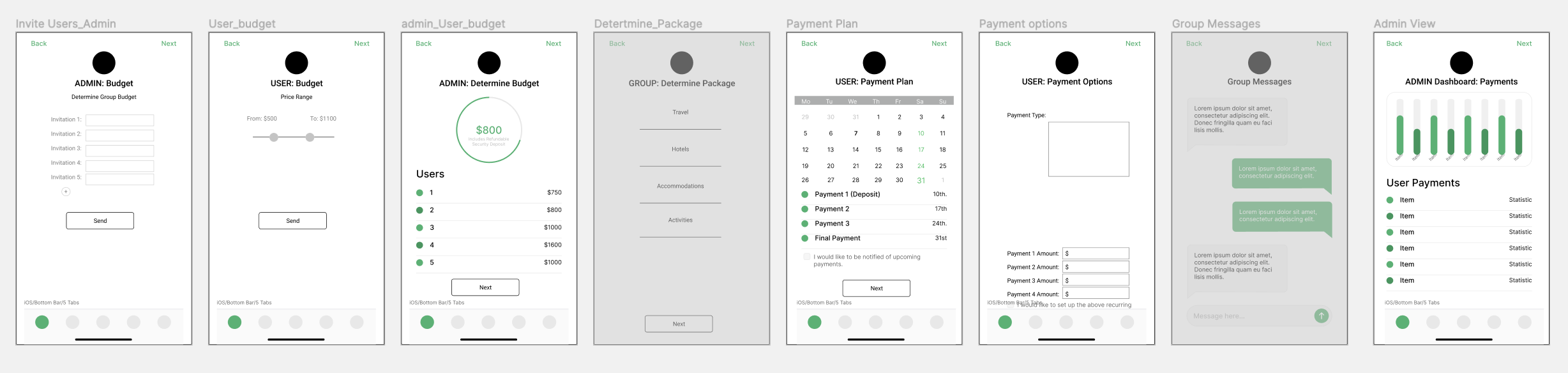
Budgeting screens
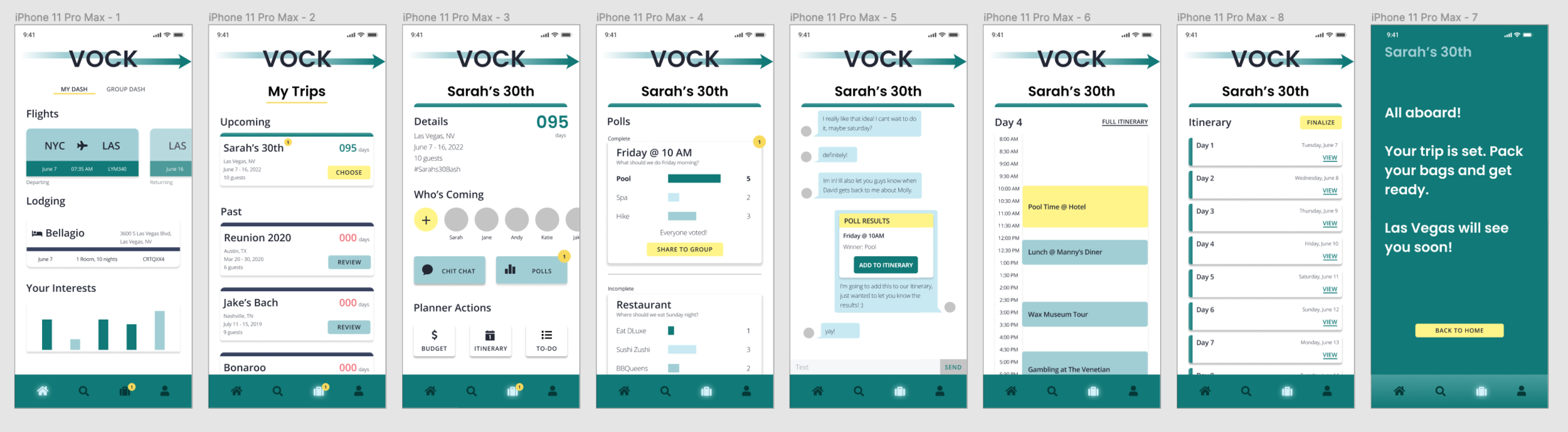
Scheduling screens
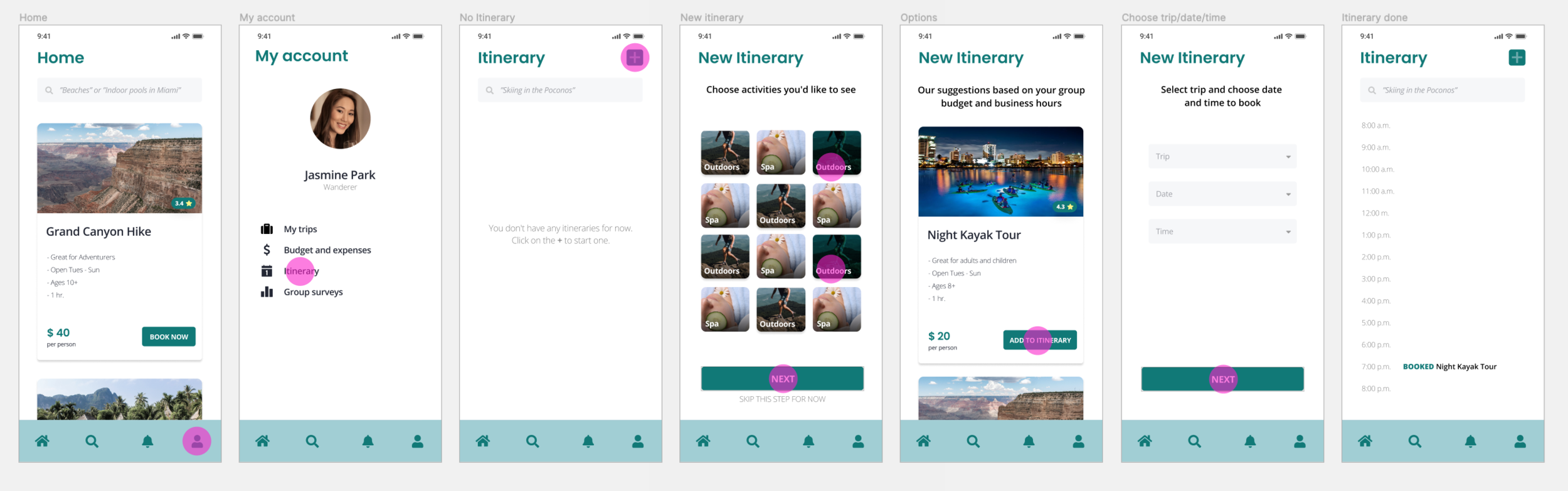
Scheduling screens
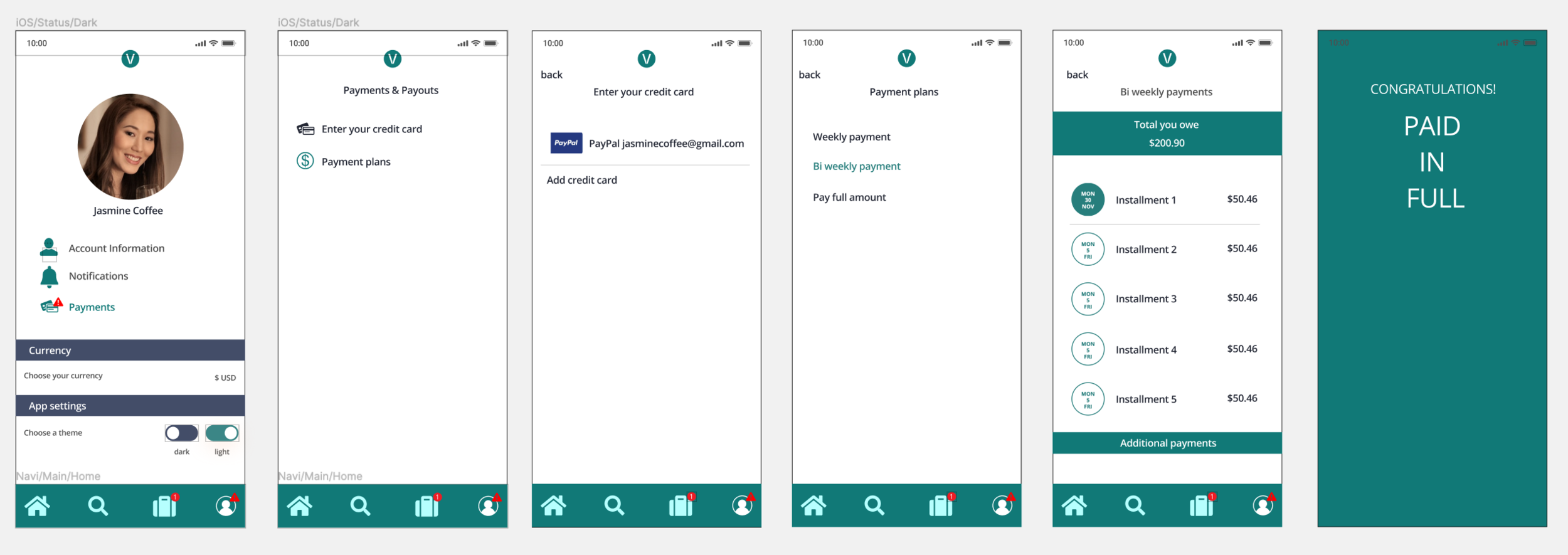
Payment screens
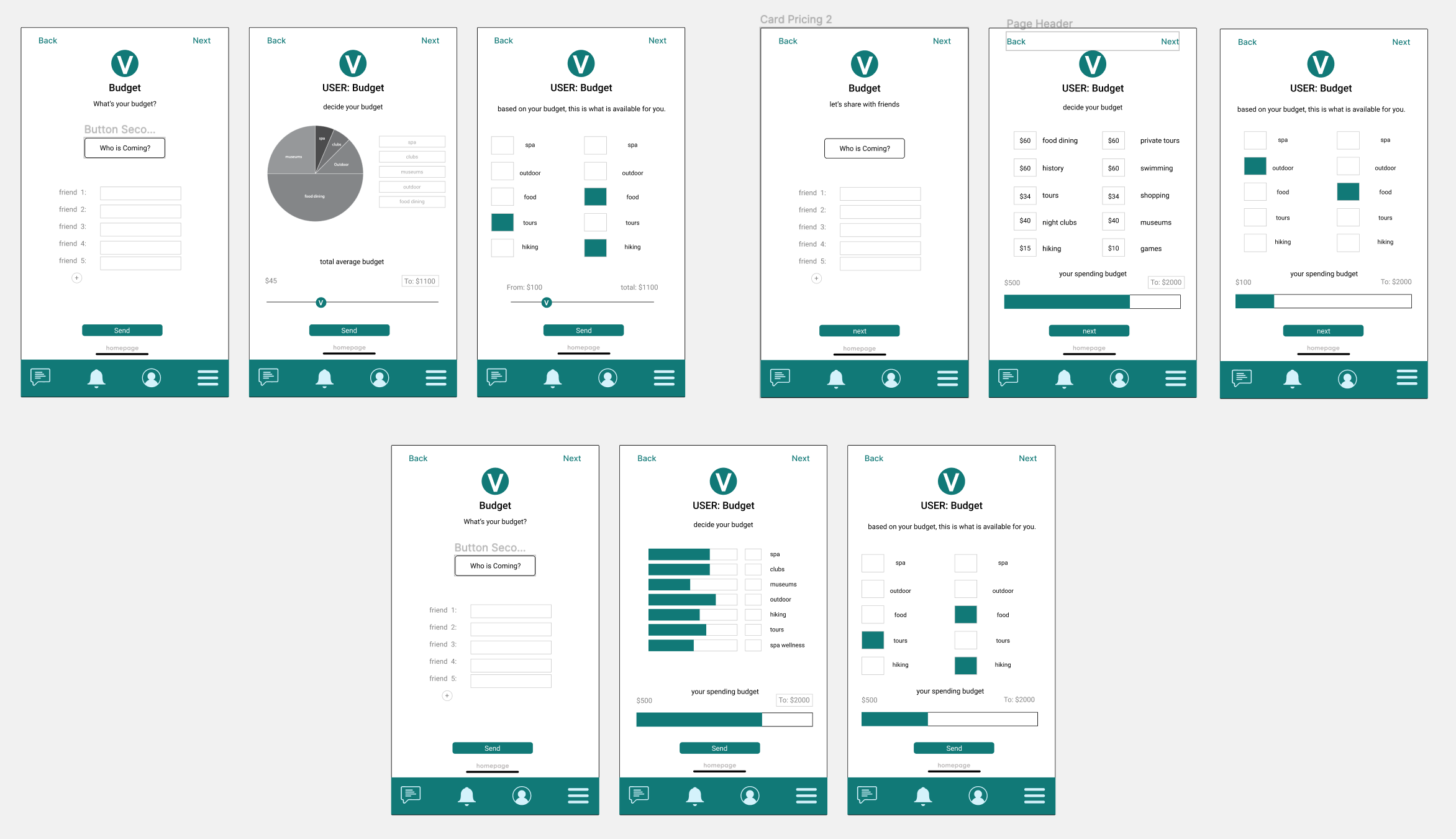
The team agreed to iterate on our budgeting feature, which we found was the most complex tasks a user could encounter.
These budget iterations present three different ways to do a personalized expense report. We still want the user to have flexibility to customize their own itinerary, but still be involved in group activities when their budget permits.
- Ahoy Case Study
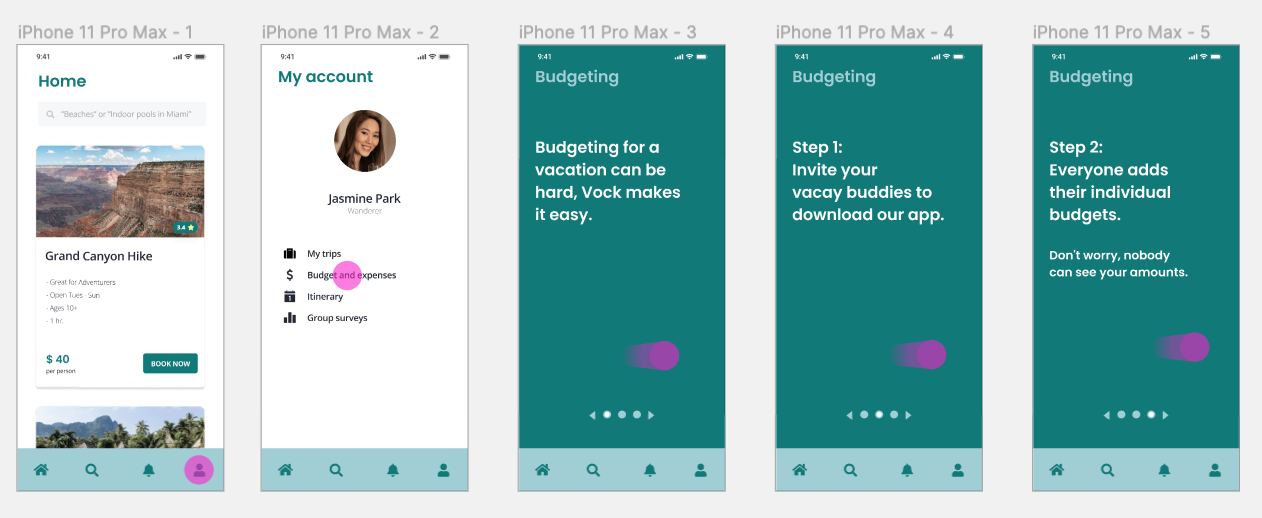
Our Frankenstein user journey ended up like this:
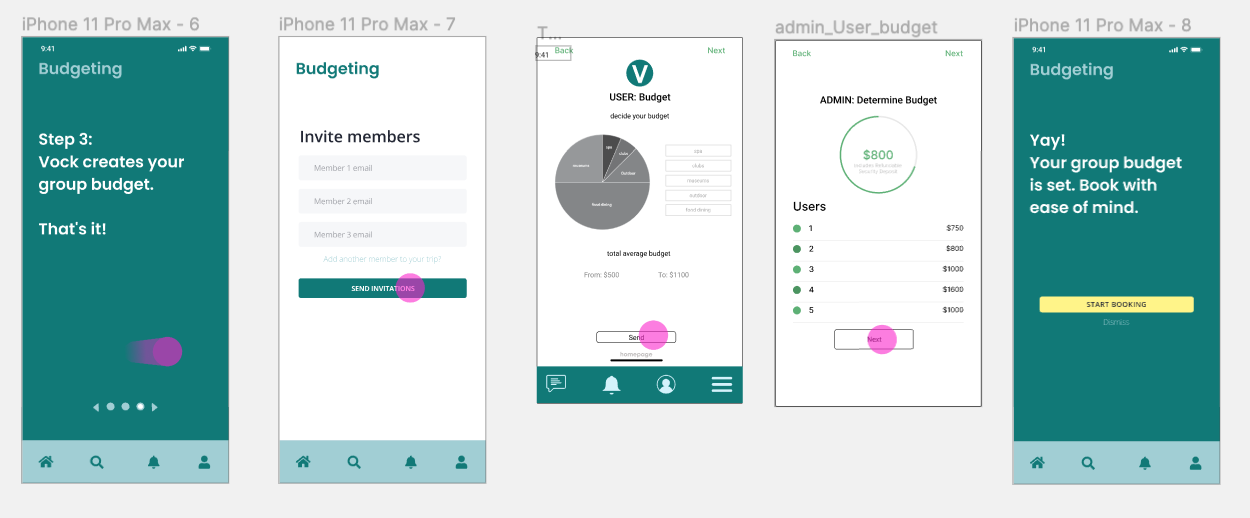
We simplified the interface and dedicated our screens to onboard users. Finally, we tested these screens with 4 potential users. The major takeaway: we had to adjust the amount of screens needed to achieve our main tasks: create a trip, set a budget, plan an event.
Design system and branding
Once we had this information, we started developing our design system. We wanted our brand to be friendly, consistent and clear. Our team came up with the name Ahoy, a nautical reference that later translated into our whole brand. The copy and overall language of the app made it clear that users were to be sent on a journey.
Group coordinators or administrators were to be called “Skippers” and the rest of the members were “Crewmates”.
Kendall, one of the designers on the team, created our logo and our initial design system. We made sure our color passed WCAG AA accessibility standards and proceeded to start creating our high fidelity prototype.
Ahoy Logo
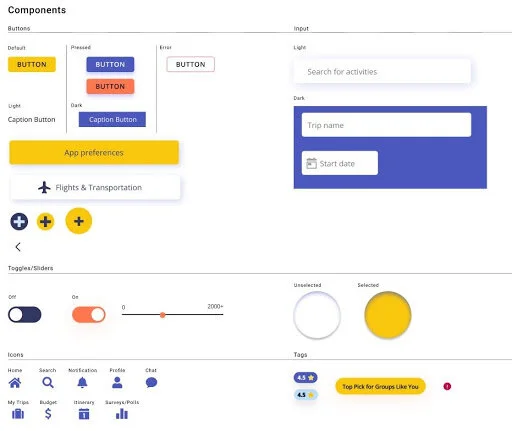
Part of our Ahoy design system.
Final prototype
After iterating on our low fidelity prototype, we proceeded to start designing our mid to high fidelity MVP. I designed the final prototype's UI and look and feel.
We tested our product with 5 potential users to gather feedback on various flows like creating a trip, setting an itinerary and inviting Crewmates.
Next steps
In the next sprint we would like to:
Synthesize the information gathered on our latest user testing to incorporate fixes on some of the user flows.
Review our color palette and update our prototype.
Conduct more user testing to validate previous user’s feedback and improve app usability.